More Organized Jobs
Keep your entire team working from the same system.
Built for roofing contractors
SupplaMax brings your jobs, claims, scopes, documents, communications, production, and AI tools together in one connected platform.
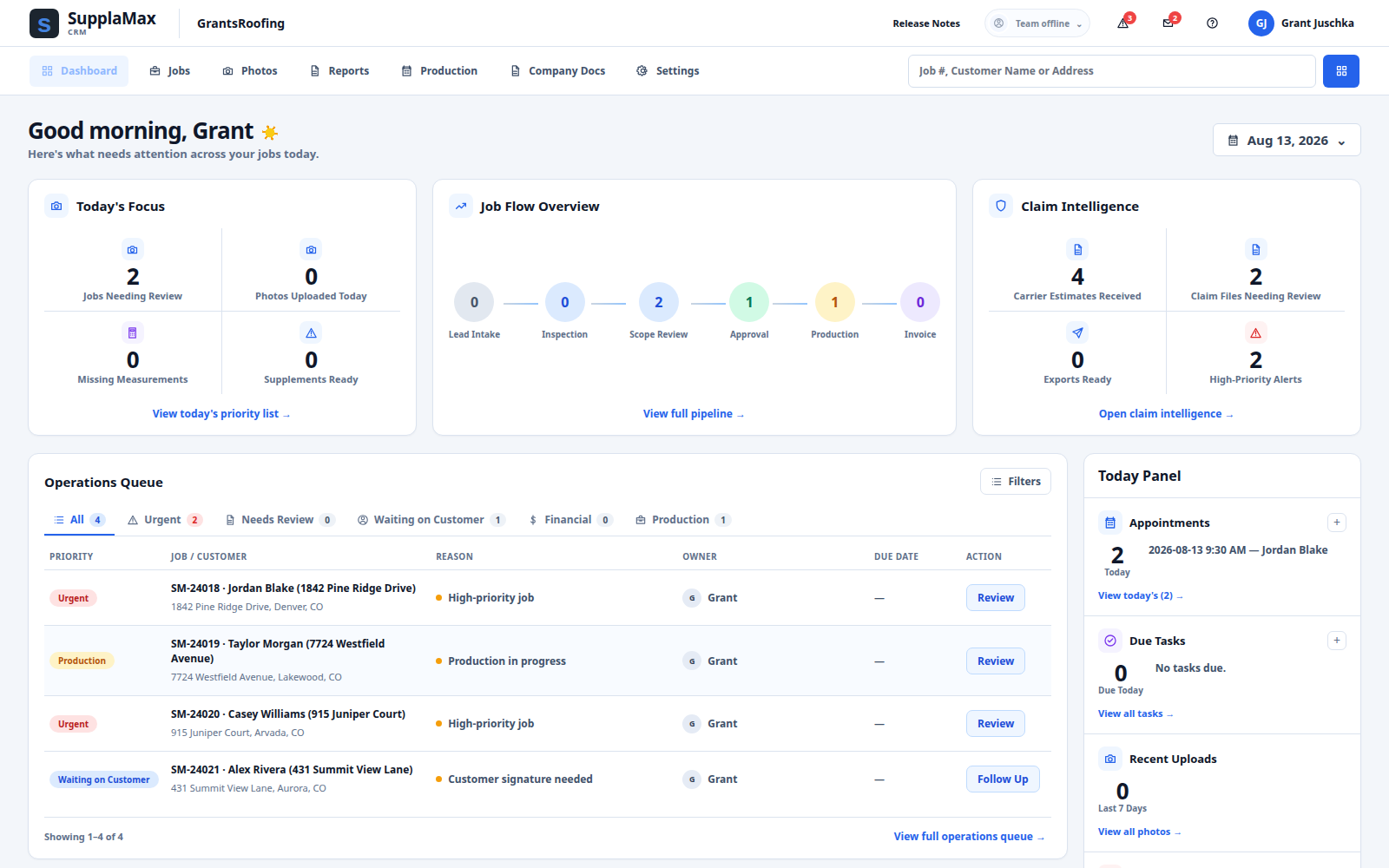
Keep your entire team working from the same system.
Review evidence and build scopes in one workspace.
Keep insurance, customer, and internal conversations together.
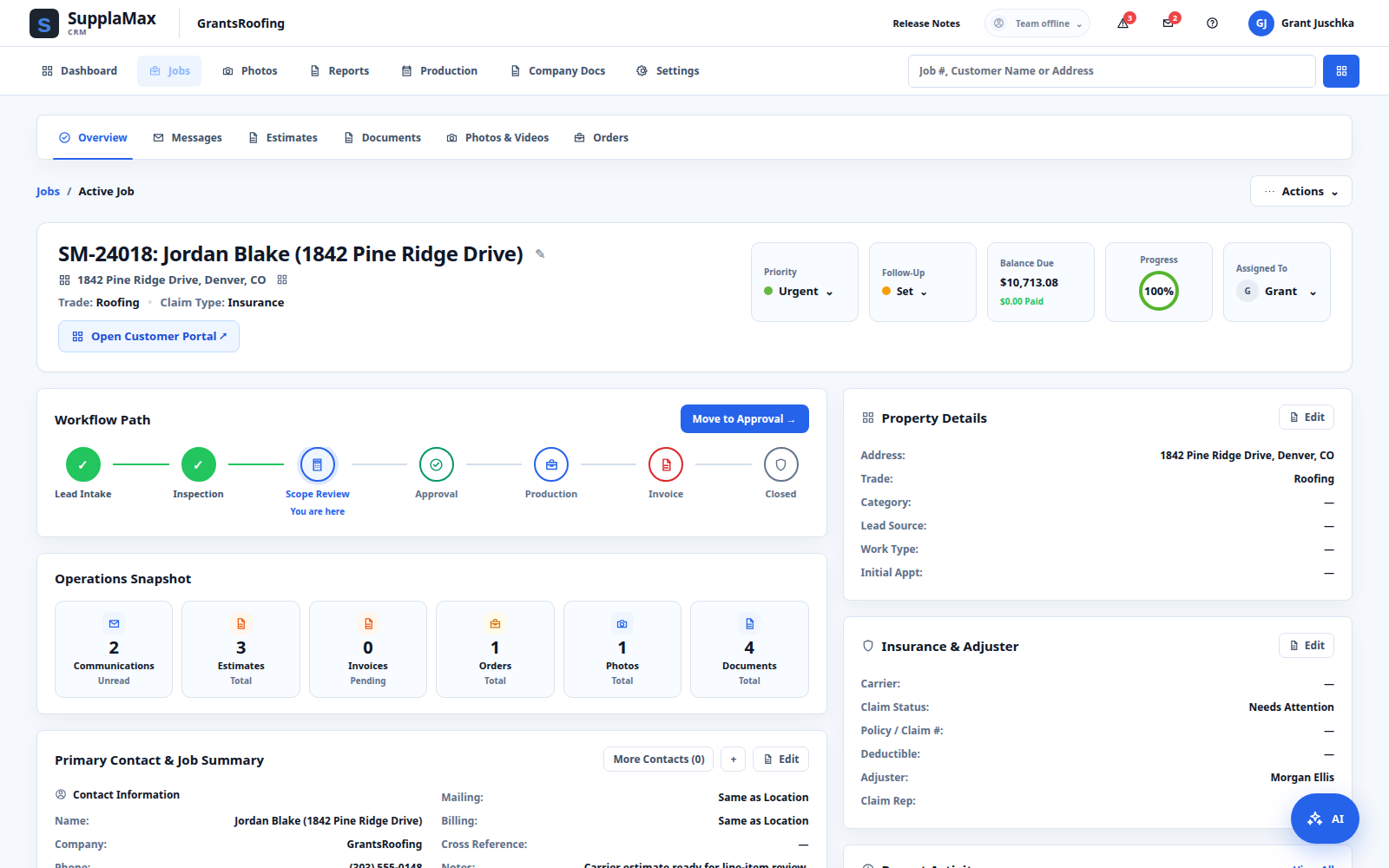
Know exactly where every job stands.
One connected operating platform
From the first lead through scope, approval, production, and payment, SupplaMax keeps the entire job connected.
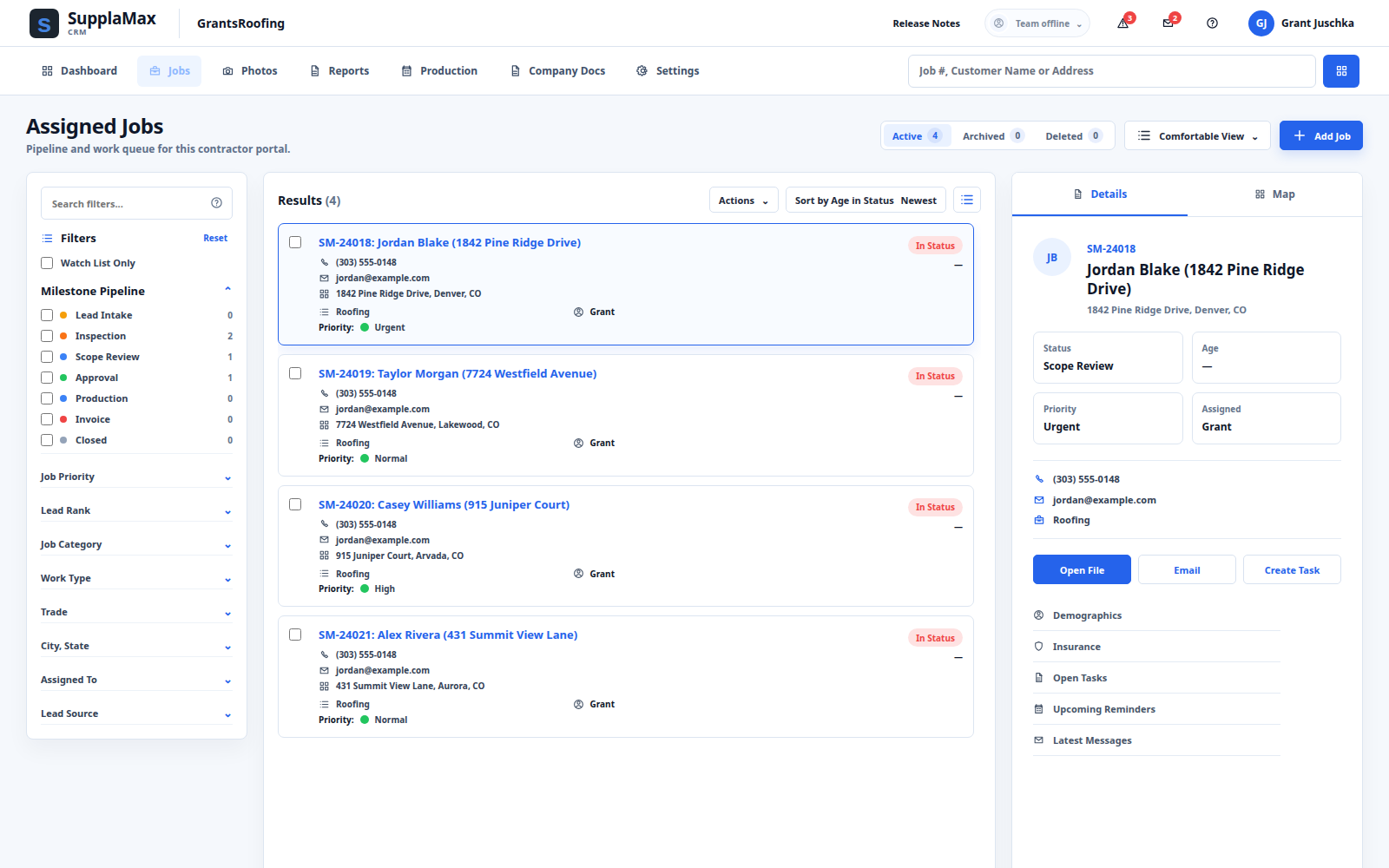
Track leads, inspections, milestones, owners, tasks, follow-ups, production, and invoices.
See job management →Review estimates, measurements, photos, PDFs, supporting items, and codes while you build.
See Scope Builder →Use a claim-aware operational AI layer inside SupplaMax—not a disconnected chatbot.
Explore SupplaMax AI →Keep insurance, customer, other email, and internal messages organized by job.
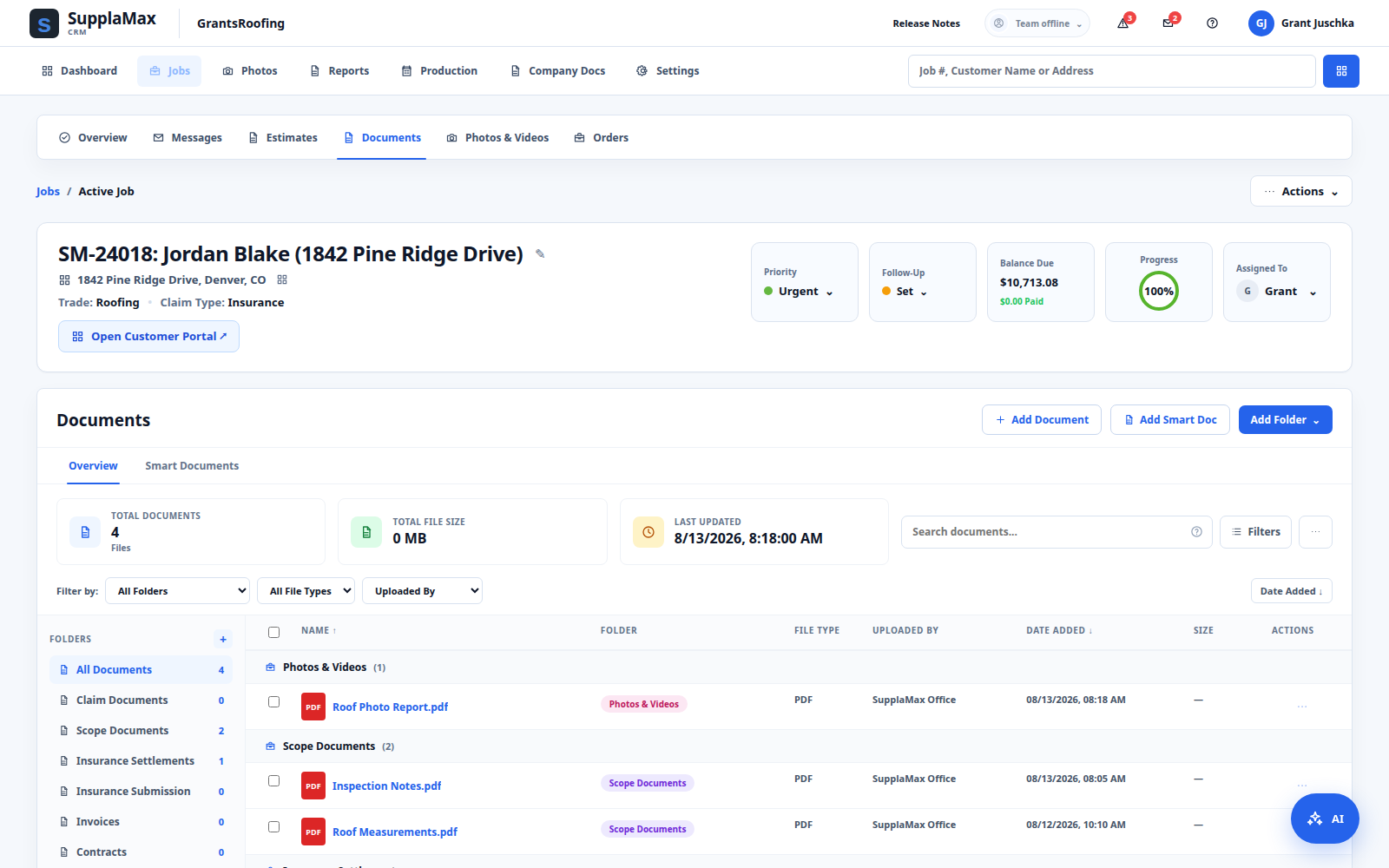
See communications →Store carrier files, measurements, damage photos, contracts, and correspondence together.
See claim files →Understand pipeline activity, job status, operational priorities, and business performance.
See reporting →CRM + Job Management
Give the office, sales team, estimators, and production crew one view of the job lifecycle—from lead intake through invoice.
Scope Builder
Review claim documents and build the scope from the same workspace instead of switching between PDFs, spreadsheets, and separate estimating tools.
You stay in control. Suggested work remains reviewable before it changes the live scope.
See Scope Builder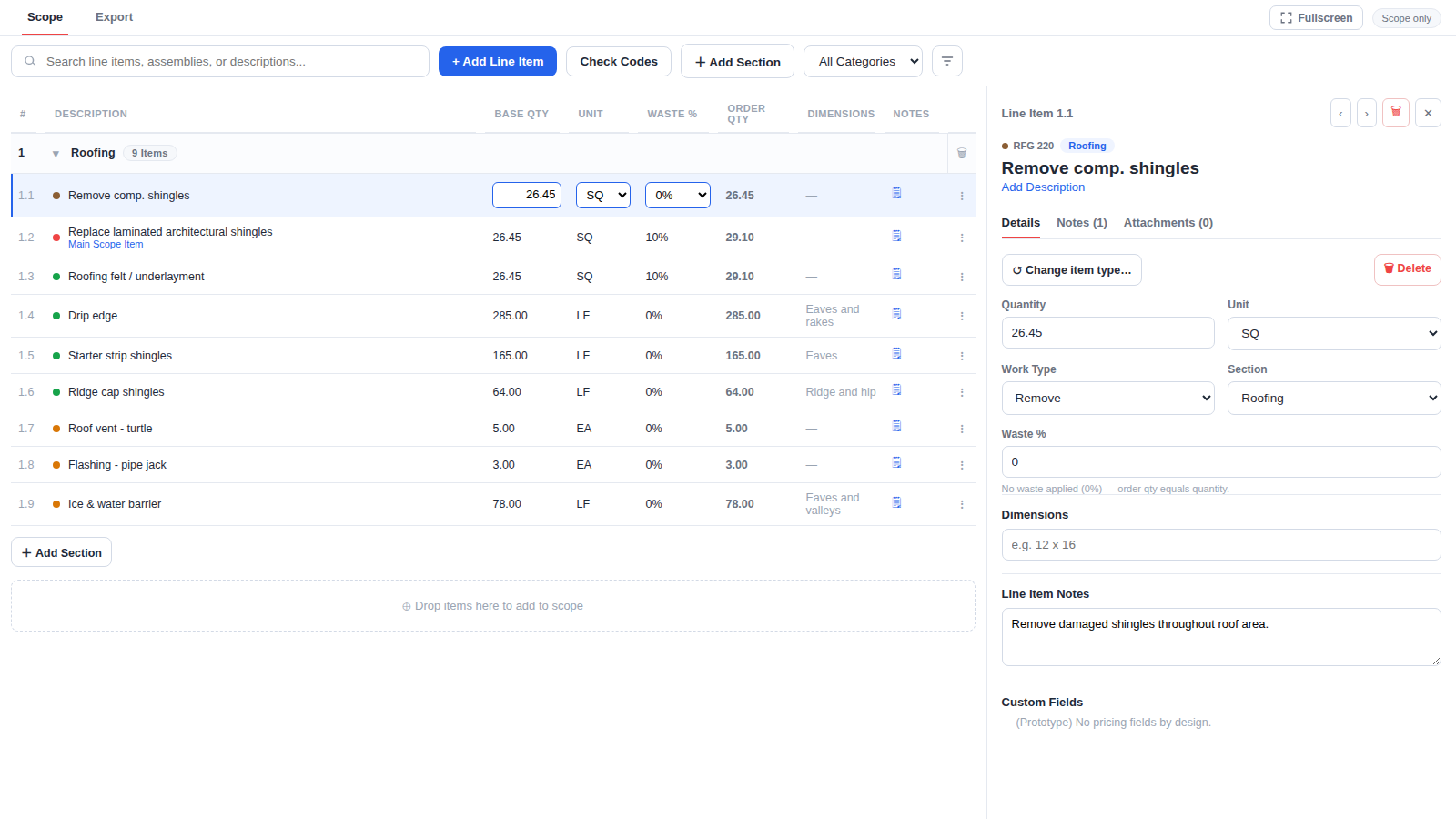
Operational AI across SupplaMax
SupplaMax AI can work with claim information already stored in the platform and assist through reviewable SupplaMax tools.
Claim documents reviewedCarrier estimate · Measurement report · Inspection notes
Evidence organizedQuantities and source references connected
Draft scope preparedReview suggested line items in Scope Builder
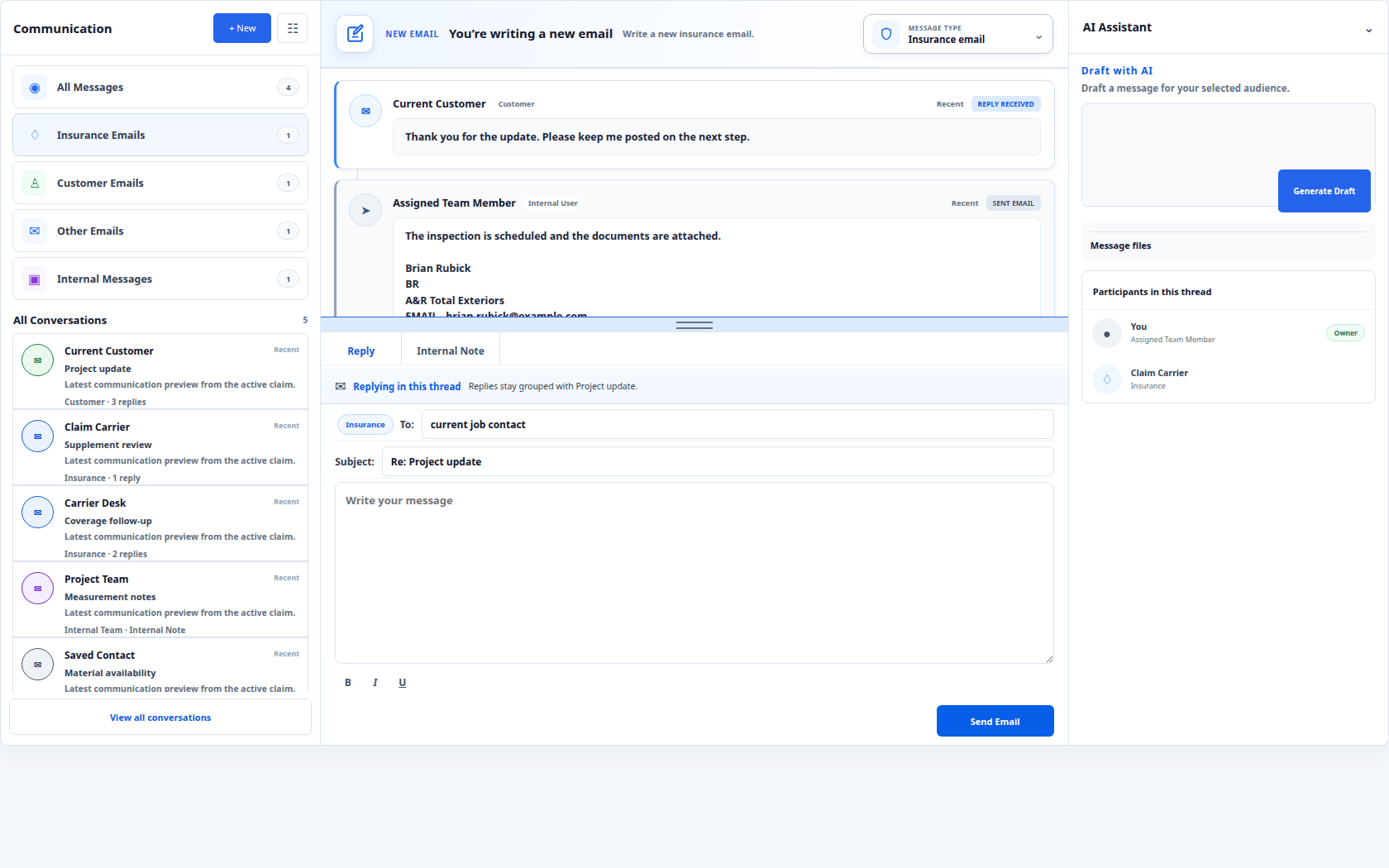
Communications
Messages remain connected to the claim instead of scattered across employee inboxes. Work from the full job context while keeping people in charge of what gets sent.
Claim Intelligence + Documents
Bring the complete claim file into one organized workspace so the team can review evidence, find what matters, and move the job forward.
SupplaMax helps your team organize and review claim information. It does not make coverage or carrier decisions.
How it works
Capture information once, then keep it useful through every next step.
Create the claim or migrate it from your current system.
Store photos, documents, conversations, tasks, and claim data together.
Review documentation and build the project scope.
Ask questions and assist with reviewable operational workflows.
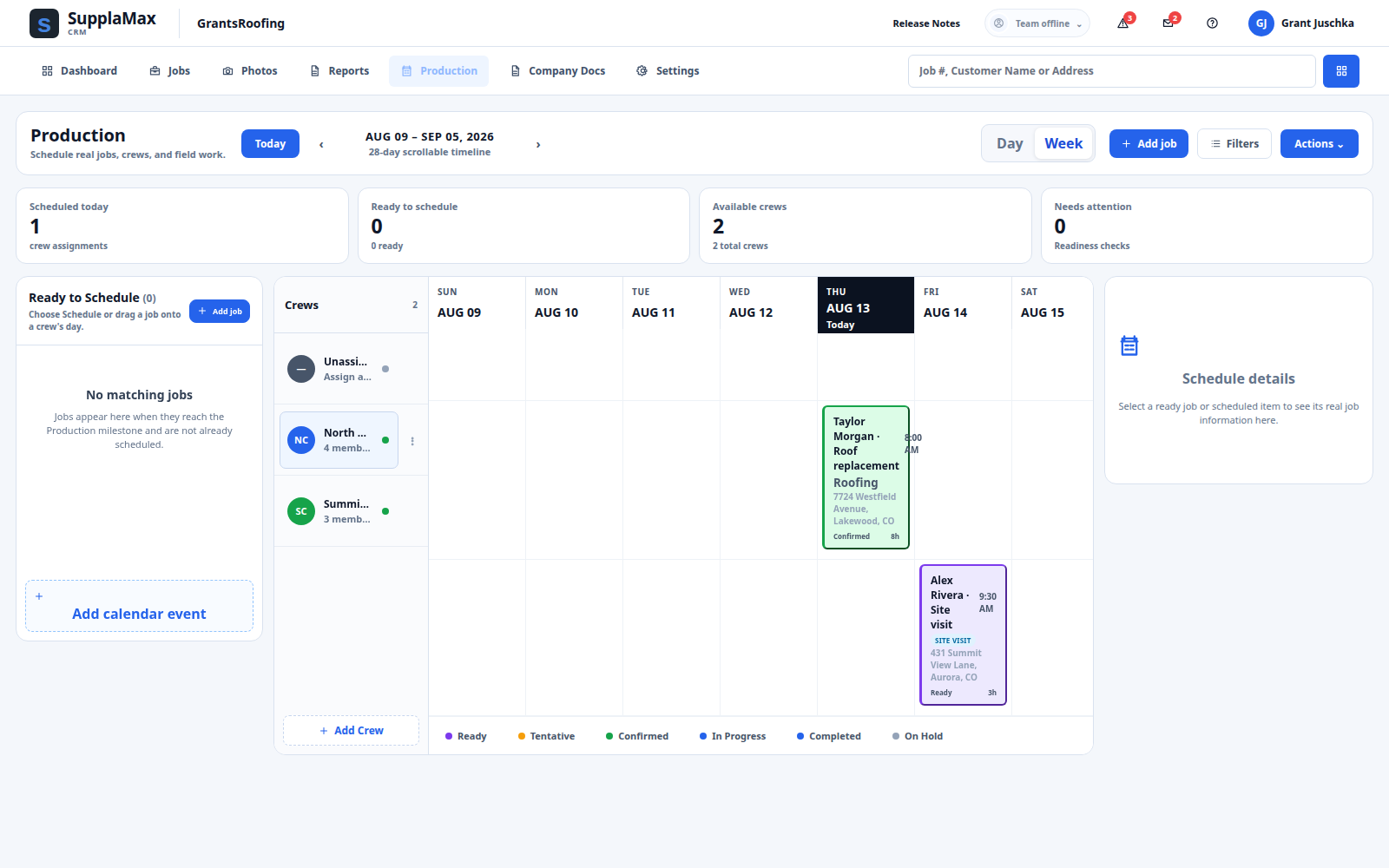
Track approvals, schedules, crews, and production.
Keep communication, documents, and payment status organized.
Production + Workflow
Coordinate crews, schedules, readiness, and job progress from the same operating system that holds the claim.
Reports & Analytics
Use dashboard, pipeline, finance, and operations views to understand where work stands and what needs attention next.
Simple pricing conversation
Start with your workflow, team, and operating needs. We’ll confirm the current package and pricing with you.
Package details beyond the published starting price are configurable and should be confirmed with SupplaMax before purchase.
Customer stories
Security + Trust
SupplaMax is designed around authenticated workspaces, tenant-scoped access, protected documents, and human approval for important AI-assisted actions.
People sign in through the existing secure SupplaMax authentication system.
Contractor workspaces and job access are enforced by the backend.
Important AI-assisted changes remain reviewable before application.
FAQ
Clear answers about SupplaMax, your workflow, and getting started.
Ask Us a QuestionSee SupplaMax in your workflow
Tell us a little about your company and we’ll show you how SupplaMax can fit into your workflow.